
DailyMed Navigation Helper
Ever wondered if the medication leaflet in your pharmacy bag is actually the most current version? In the world of pharmaceuticals, safety updates happen fast. While commercial apps are handy, they often lag behind the official government records. That is where DailyMed is the official provider of FDA label information maintained by the National Library of Medicine (NLM) . It serves as the single source of truth for DailyMed drug labels, ensuring that healthcare providers and patients aren't relying on outdated safety data.
Quick Summary of Key Takeaways
- Official Authority: DailyMed is the primary repository for FDA-approved labeling, often updated within 24 hours of a manufacturer's submission.
- Search Precision: Using the National Drug Code (NDC) is the fastest way to find a specific product version.
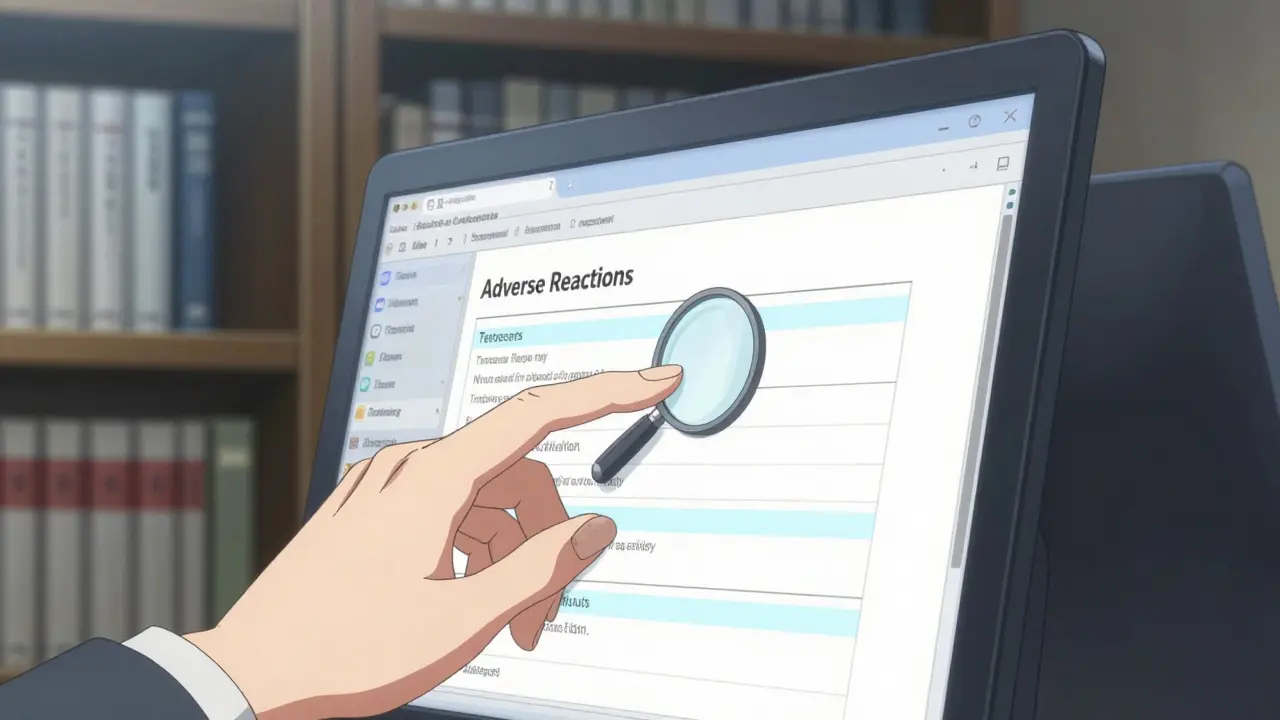
- Finding Side Effects: Look specifically for the "Adverse Reactions" section of the full label to see comprehensive side effect lists.
- Data Format: Information is stored using Structured Product Labeling (SPL), a mandatory electronic format for the FDA.
What Exactly is DailyMed?
If you've ever looked at a long, folded piece of paper accompanying a prescription-the package insert-you've seen the content that lives on DailyMed. This database is managed by the National Library of Medicine (NLM), which is part of the National Institutes of Health (NIH) . It doesn't just cover human prescriptions; it includes over-the-counter (OTC) drugs, animal medications, and even medical gases.
The magic behind the system is Structured Product Labeling (SPL) is an FDA-mandated electronic format that allows drug labeling to be standardized and easily searched by machines and humans alike . Because manufacturers must submit updates in this format, DailyMed can house over 150,000 labels that are updated daily. When a company changes a dosage or adds a new warning, this is the first place that information appears publicly.
Step-by-Step: Navigating the Site for Side Effects
Let's be honest: the interface can feel a bit clinical and clunky compared to a modern health app. However, knowing the specific workflow saves you from clicking through endless pages. If you are looking for side effects, follow this path:
- The Search: Locate the magnifying glass icon in the top right corner. Enter the drug name. If you have the physical packaging, enter the National Drug Code (NDC), which is a unique 10-digit, 3-segment number identifying the labeler, product, and package size . This prevents you from accidentally looking at a different strength or a different manufacturer's version of the same generic drug.
- Product Selection: Choose the specific product from the results list. Always check the "Effective Time" field to ensure you are viewing the most recent update.
- Accessing the Full Label: Click the "Full Label" button. This takes you away from the summary and into the official document.
- The Side Effect Section: Scroll down or use the internal navigation to find the ADVERSE REACTIONS section (usually Section 6). This is where the clinical data on side effects is detailed.
Comparing DailyMed with Other FDA Resources
You might see other sites like Drugs@FDA or the Orange Book and wonder which one to use. They all serve different purposes. While DailyMed is the go-to for the current "what's in the box" information, other tools are better for research or history.
| Resource | Primary Use Case | Best For... | Key Limitation |
|---|---|---|---|
| DailyMed | Current Labeling | Finding side effects and current dosage | Less intuitive search UI |
| FDALabel | Advanced Research | Full-text searches across multiple drugs | More technical interface |
| Drugs@FDA | Approval History | Finding original approval letters | Not focused on current labels |
| Orange Book | Equivalence | Checking generic vs. brand therapeutic equivalence | No detailed side effect data |
Common Pitfalls and Pro Tips
Even for seasoned pharmacists, DailyMed can be a bit of a maze. One common frustration is that the site requires a few too many clicks to reach the side effect data. A pro tip for those who find the standard search too broad is to use the "Advanced Search" option and filter for section titles containing "ADVERSE" or "SIDE EFFECT." This can cut down the time spent scrolling through dosage instructions.
Another trap is the similarity between drug names. To avoid the "wrong drug" error, always rely on the autocomplete feature. According to NLM data, this tool reduces selection errors by about 62%. If you're a developer or a data scientist, you can actually download these labels in XML format or use the bulk zip files provided by the NLM, though these files are massive-often around 3GB per part for human prescription drugs.

The Bigger Picture: Why This Matters
In a market where commercial databases like Lexicomp or Micromedex dominate hospital workflows due to their integrated decision support, DailyMed remains the legally authoritative source. Why? Because 92% of medication safety alerts are published here before they hit any other resource. When a "Black Box Warning" is issued, the DailyMed update is the gold standard that all other databases eventually sync to.
Looking ahead, the FDA is planning a Drug Labeling Modernization Initiative for late 2026. This will eventually link adverse event reports from the FDA Adverse Event Reporting System (FAERS), which is a database that monitors the safety of prescription and nonprescription drugs after they have reached the market , directly to the labeling sections. This means in the near future, you won't just see what the manufacturer reports, but also real-world data on how the drug is behaving in the population.
Is DailyMed free for the general public to use?
Yes, DailyMed is a free public resource provided by the National Library of Medicine. There are no subscription fees to access drug labels, safety warnings, or side effect information.
How often is the information on DailyMed updated?
Updates occur daily. In most cases, changes to drug labeling are reflected on the site within 24 hours of the FDA receiving the Structured Product Labeling (SPL) submission from the pharmaceutical company.
What is an NDC and why should I use it to search?
The National Drug Code (NDC) is a unique 10-digit identifier for a specific drug product. Using it is better than searching by name because it specifies the exact manufacturer, dosage form, and package size, eliminating confusion between similar generic versions.
Where can I find the "Black Box Warnings" on a label?
Boxed warnings are the most serious warnings and are always located at the very top of the drug label, typically in a prominent box under the section titled "BOXED WARNING." They are the first thing you should look for when checking a drug's safety profile.
Can I find animal drug labels on DailyMed?
Yes, DailyMed includes labeling for animal drugs in addition to human prescription and over-the-counter medications. You can filter your search by drug type to specifically find animal-use products.
Next Steps for Different Users
For Patients: If you are checking your own medication, start with the drug name search, but keep your medication bottle handy to cross-reference the NDC. If the "Adverse Reactions" section feels too technical, use the site's search to see if there is a patient-friendly version of the label available.
For Clinicians: If you need to conduct a broader analysis across several drugs, skip DailyMed and head to FDALabel. It allows for more sophisticated filtering and the ability to export data into spreadsheets, which is far more efficient for research than clicking through individual DailyMed labels.
For Developers: Explore the bulk data zip files provided by the NLM. Be aware that the human prescription archive is split into three parts due to its size (each around 3GB), so ensure you have enough disk space and verify the MD5 checksums to ensure the data was downloaded without errors.